What Is WHOIS / RDAP? How to Read IP Ownership Data
WHOIS/RDAP shows registration data for IP ranges, not necessarily who is using an IP right now.
Key Takeaways
- RDAP is the modern, structured version of legacy WHOIS.
- The most useful fields are the organization, range/prefix, and abuse contact.
- Ownership data helps explain “who the network is,” but it doesn’t identify a person.
WHOIS vs RDAP: What’s the Difference?
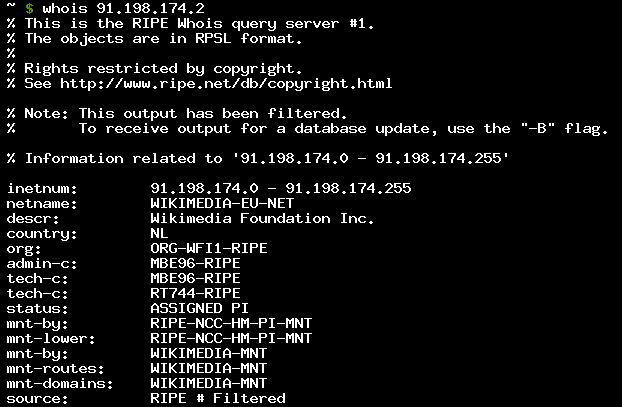
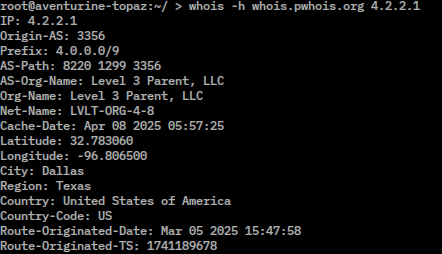
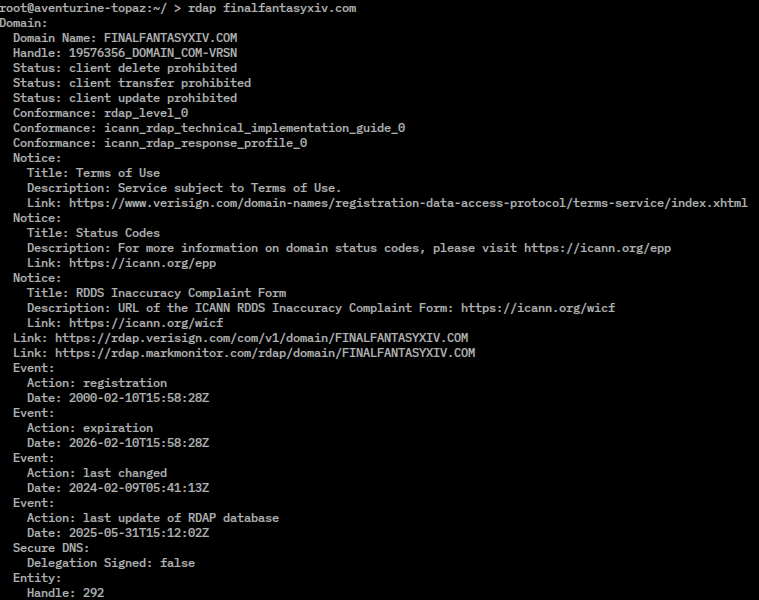
WHOIS is older and often returns text output. RDAP is newer and returns structured data. Both answer: “Which organization is this IP range registered to?”
IP Ownership Is Recorded in Ranges
Most IPs are registered as part of a range/prefix. You’ll typically see a block like 203.0.113.0/24 rather than a single IP.
Key Fields Explained
Common fields: - Org / Organization / Entity: registered holder of the block - NetRange / CIDR / Prefix: the address range - Country: administrative, not guaranteed physical location - Abuse Contact: reporting destination for incidents - Created / Updated: registration timestamps (not “first used”)
Why Ownership ≠ Actual User
An IP range can be reassigned, leased, or shared (NAT/CGNAT). WHOIS might show the provider even when the end user is someone else.
RIRs (Regional Internet Registries)
- ARIN, RIPE NCC, APNIC, LACNIC, AFRINIC Different RIRs can present data differently.
Practical Uses
- Understanding provider vs customer infrastructure
- Incident reporting (abuse)
- Compliance and allowlist/denylist decisions by prefix
Common Confusions
- Ownership ≠ identity
- Country field ≠ physical location
- Updated timestamp ≠ “new IP”
Practical Implications in Real Systems
Combine WHOIS/RDAP context with IPVerdict’s organization naming, ASN, and reverse DNS signals for a clearer picture.
Common Misunderstandings
Q1: Is WHOIS/RDAP always accurate? Accurate for registry assignment, not for real-time end-user usage.
Q2: Why is some info missing? Policies vary; some data is restricted.
Q3: Can WHOIS locate a person? No.
Q4: Why does my home IP show a telecom company? Because your ISP owns the block.
Q5: If I’m blocked, should I contact the WHOIS org? Start with the service blocking you; WHOIS may only identify the network owner.
Limitations
- Registry data can lag real-world routing changes.
- Resellers and subsidiaries can make names confusing.
Disclaimer
The information in this guide is provided for educational and diagnostic use. Network behavior can vary by environment, configuration, and data sources, so results should be treated as informative signals rather than definitive proof.
Conclusion
Understanding these fundamentals helps you interpret network signals more confidently and troubleshoot issues with fewer false assumptions.