HTTPS and TLS Basics: What Your Browser Security Lock Really Means
HTTPS encrypts traffic between your device and a website.

Key Takeaways
- The lock icon means encryption + certificate validation, not “the site is trustworthy.”
- Certificate errors are often caused by misconfiguration, expired certs, or incorrect device time.
- Even with HTTPS, your IP and the destination network are still visible at the routing layer.
What HTTPS Protects (And What It Doesn’t)
HTTPS (HTTP over TLS) protects: - The content you send/receive (encrypted) - The hostname you connect to (validated by certificate)
HTTPS does not automatically protect: - Your public IP address - The fact that you’re connecting to a specific site (some metadata still exists)
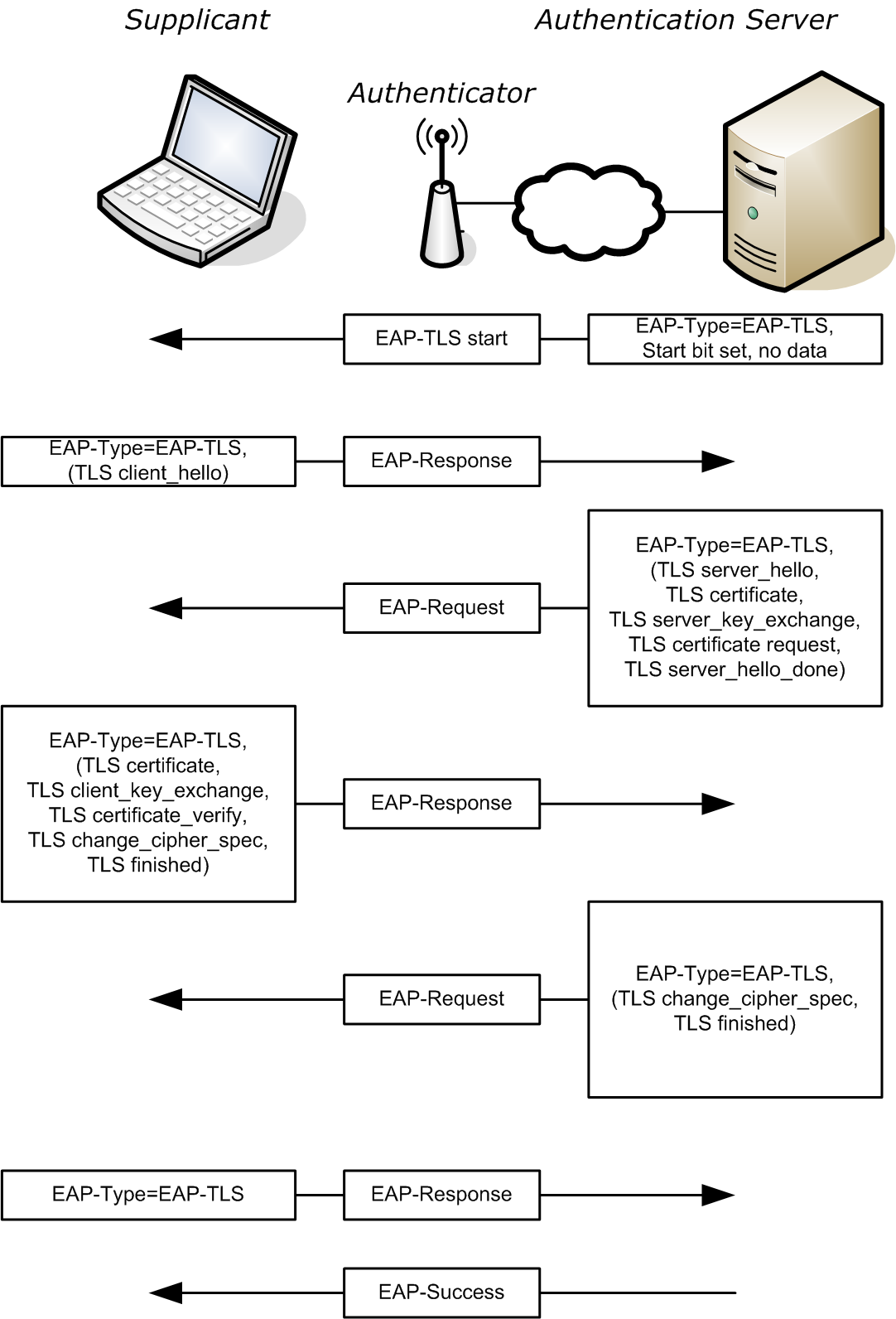
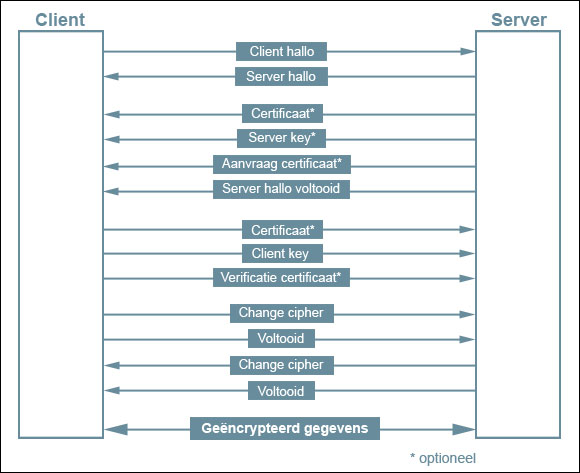
TLS Handshake (Simplified)
In simple terms: 1. Client connects and proposes TLS settings. 2. Server presents a certificate. 3. Client verifies the certificate chain and hostname. 4. Both sides agree on encryption keys. 5. Encrypted traffic begins.
Certificates and Trust Chains
A certificate is trusted if:
- It’s issued by a recognized Certificate Authority (CA)
- It’s valid (not expired)
- The hostname matches (e.g., example.com)
Browsers maintain a store of trusted CAs.
Common TLS/HTTPS Errors (And What They Usually Mean)
“Certificate expired” - The server cert wasn’t renewed.
“Name mismatch” - The certificate is for another domain.
“Untrusted / unknown issuer” - Self-signed cert or missing chain.
“Your clock is wrong” - Your device time is incorrect; certificates appear invalid.
SNI (Server Name Indication) in One Paragraph
Many servers host multiple domains on one IP. SNI tells the server which hostname you want during the TLS handshake. Without SNI, you might get the wrong certificate.
HTTPS vs VPN: Different Layers
- HTTPS secures app-layer traffic to a site.
- A VPN changes your network path and exit IP.
You can use both together, but they solve different problems.
Practical Implications in Real Systems
If you’re troubleshooting HTTPS problems, IPVerdict can help by: - confirming the destination IP’s network/ASN - explaining whether the endpoint looks like CDN/hosting infrastructure
This helps in cases where: - a site moved to a new CDN - an IP changed after DNS updates
Common Misunderstandings
Q1: Does HTTPS hide my IP address? No. Your IP is still visible to the networks carrying your traffic and the destination.
Q2: Why do I get certificate errors only on public Wi‑Fi? Captive portals or interception can cause issues.
Q3: Is HTTPS enough for privacy? It’s important, but privacy also depends on DNS, tracking, browser settings, and more.
Q4: Can a VPN fix certificate errors? Sometimes if the issue is path/interception, but not if the site’s cert is actually broken.
Q5: Should I ignore certificate warnings? Usually no. Only proceed if you fully understand why it’s safe.
Limitations
- The lock icon doesn’t guarantee a site is legitimate; phishing sites can also use HTTPS.
- Some certificate errors can be caused by captive portals (hotel Wi‑Fi) intercepting traffic.
Disclaimer
The information in this guide is provided for educational and diagnostic use. Network behavior can vary by environment, configuration, and data sources, so results should be treated as informative signals rather than definitive proof.
Conclusion
Understanding these fundamentals helps you interpret network signals more confidently and troubleshoot issues with fewer false assumptions.