DNS Propagation: How Long Does It Really Take?
“DNS propagation” is mostly caching, not a magical global update.
Key Takeaways
- The main knob is TTL (time‑to‑live), but caches exist in many layers.
- Different locations and resolvers can see different answers temporarily.
- Verify DNS changes by checking multiple resolvers and networks.
What People Mean by “Propagation”
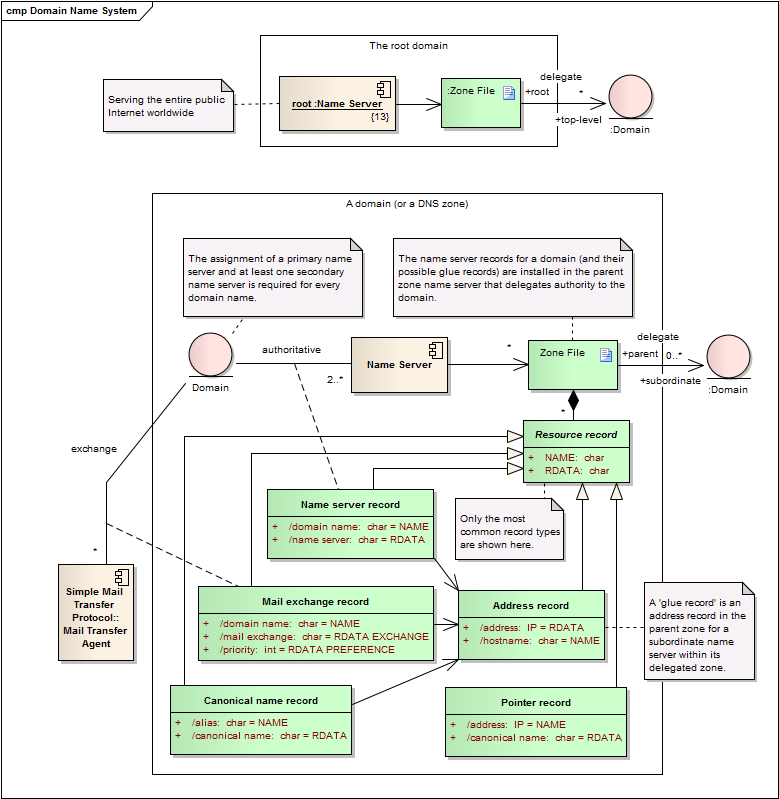
When you update DNS records, you’re changing the authoritative “source of truth.” But resolvers cache answers—so the “new” DNS data becomes visible as caches expire.
TTL Explained (Why Time Varies)
TTL tells resolvers how long they may keep an answer before checking again. Typical TTL ranges: - Fast‑changing setups: 60–300 seconds - Stable sites: 3600 seconds (1 hour) or more
Lower TTL can speed up changes, but may increase DNS query load.
Where DNS Gets Cached
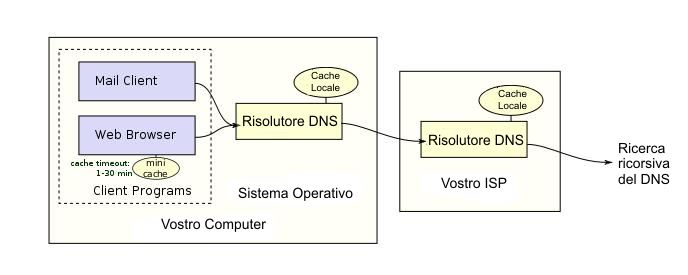
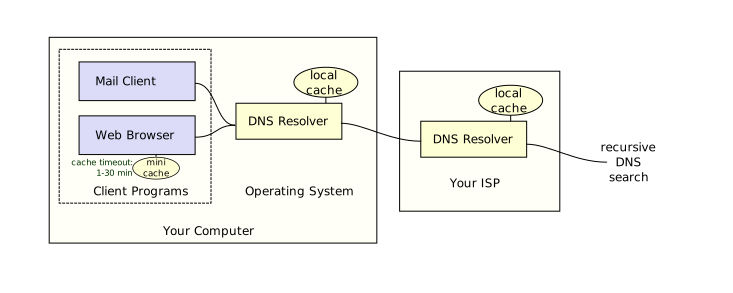
Even with a low TTL, caches can appear in: - Browser cache - OS resolver cache - Router cache (some models) - ISP resolver cache - Public resolver cache
How to Verify DNS Changes Correctly
1) Confirm authoritative records in your DNS host dashboard (A/AAAA/CNAME/TXT). 2) Check using different resolvers (ISP DNS + one public DNS). 3) Check from another network (mobile data vs Wi‑Fi) to rule out local caching.
Why Some Regions Update Faster or Slower
- Different resolvers and caching behavior
- Local caches (browser/OS/router)
- Anycast routing and resolver infrastructure
Typical Timelines for Common Changes
These are typical experiences, not guarantees: - A/AAAA updates: minutes to a few hours - CNAME updates: minutes to a few hours - TXT verification: often quick, but caches still apply - Nameserver (NS) changes: can look inconsistent longer
Troubleshooting: “It Works for Me, Not for Others”
- Confirm you updated both root (
example.com) andwwwif needed - Ask others what IP they resolve to and compare
- Keep old infrastructure alive during transitions
Best Practices for Planned DNS Changes
- Lower TTL 24–48 hours before a cutover
- Change one thing at a time if possible
- Keep rollback notes (old record values)
Practical Implications in Real Systems
After a DNS change, use IPVerdict to confirm the new destination IP belongs to the expected org/ASN and looks like the correct infrastructure.
Common Misunderstandings
Q1: Does lowering TTL instantly speed up propagation? No—existing caches must still expire.
Q2: Why does my phone see the new site but my laptop doesn’t? Different DNS settings or caches.
Q3: Do I need to flush caches every time? Not always, but it helps during debugging.
Q4: Can I make DNS changes global instantly? Not fully—caches exist across the internet.
Q5: Are propagation checkers always accurate? Useful, but they only show what their probes see.
Limitations
- Some resolvers don’t behave identically, even with the same TTL.
- CDNs may intentionally return different IPs by region.
Disclaimer
The information in this guide is provided for educational and diagnostic use. Network behavior can vary by environment, configuration, and data sources, so results should be treated as informative signals rather than definitive proof.
Conclusion
Understanding these fundamentals helps you interpret network signals more confidently and troubleshoot issues with fewer false assumptions.